Workplace Accident Management Software
Log every workplace accident in minutes, follow each WSIB or CNESST claim through to consolidation, and keep the full history on the employee’s profile.

Work Accident Management
A complete accident file, even when the facts come in piece by piece
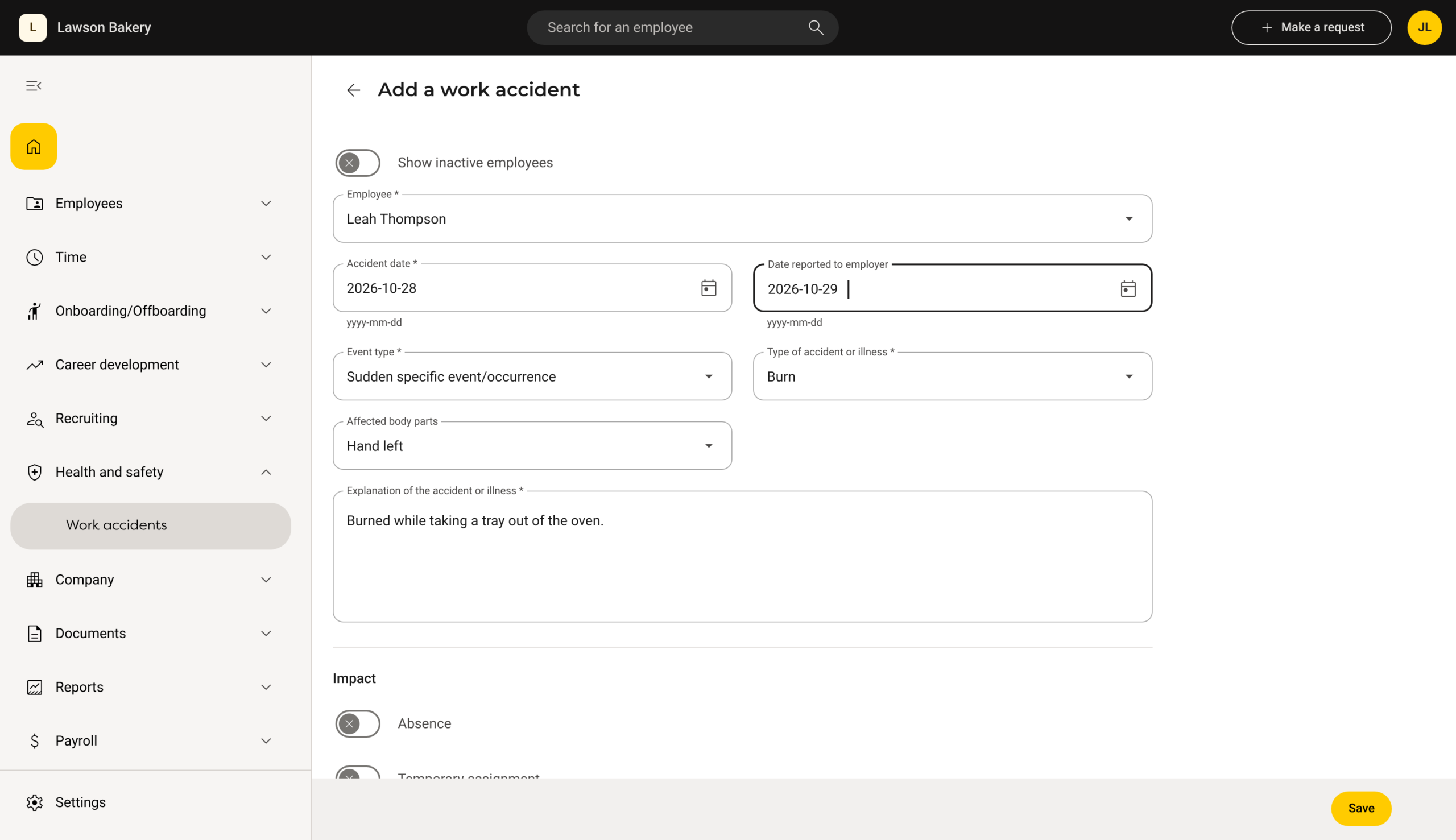
After an accident, nothing arrives at once: the supervisor’s account on the day, the medical note the next morning, the claim number weeks later. In Folks, you open the file with three details (the date, the event type, and the injury or illness type) and complete it as information comes in.
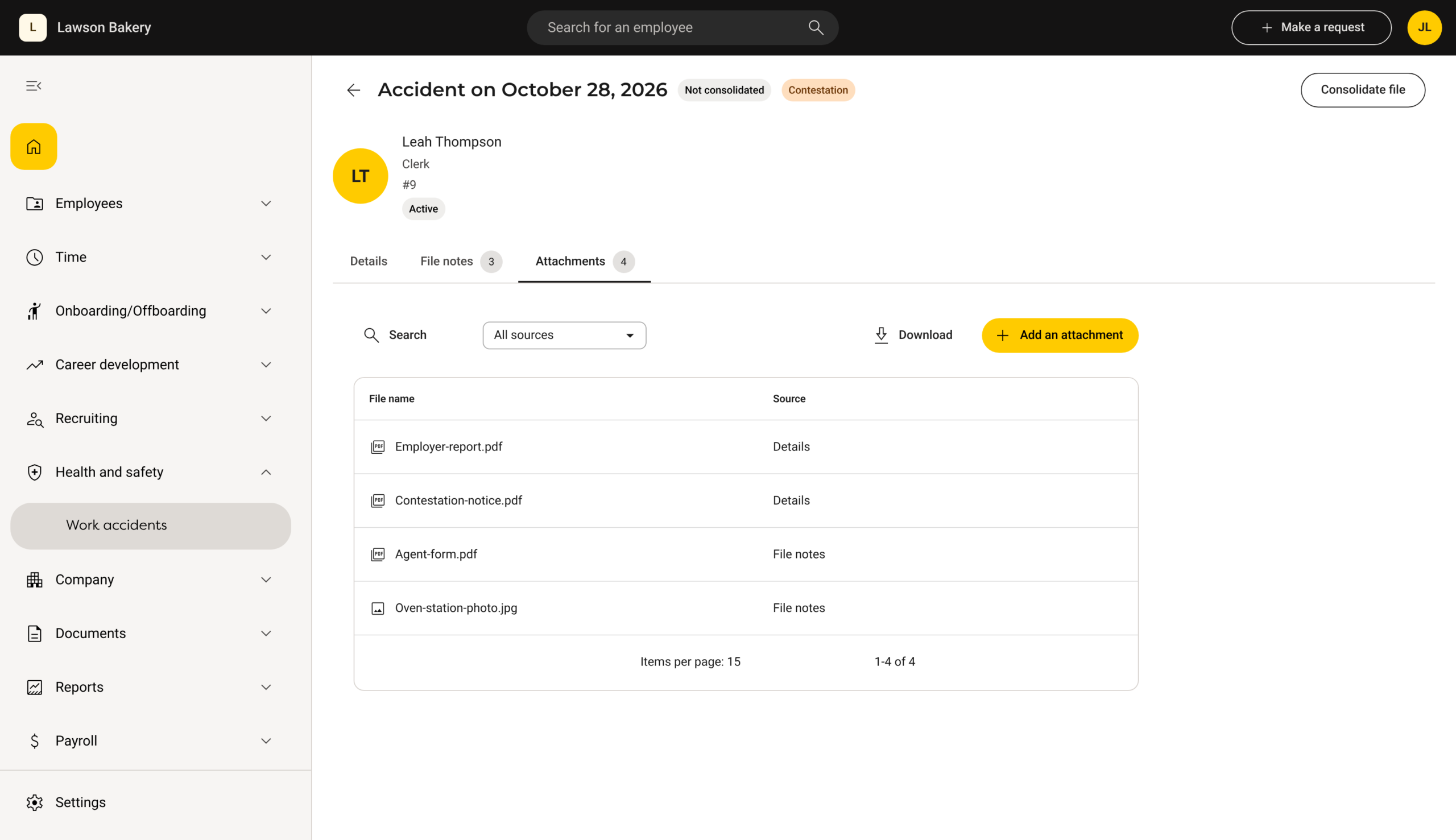
Record the body parts affected, describe what happened, and attach up to 10 documents: incident report, photos, medical note. Each accident also appears in the Work Accidents tab of the employee’s profile.
Work Accident Management
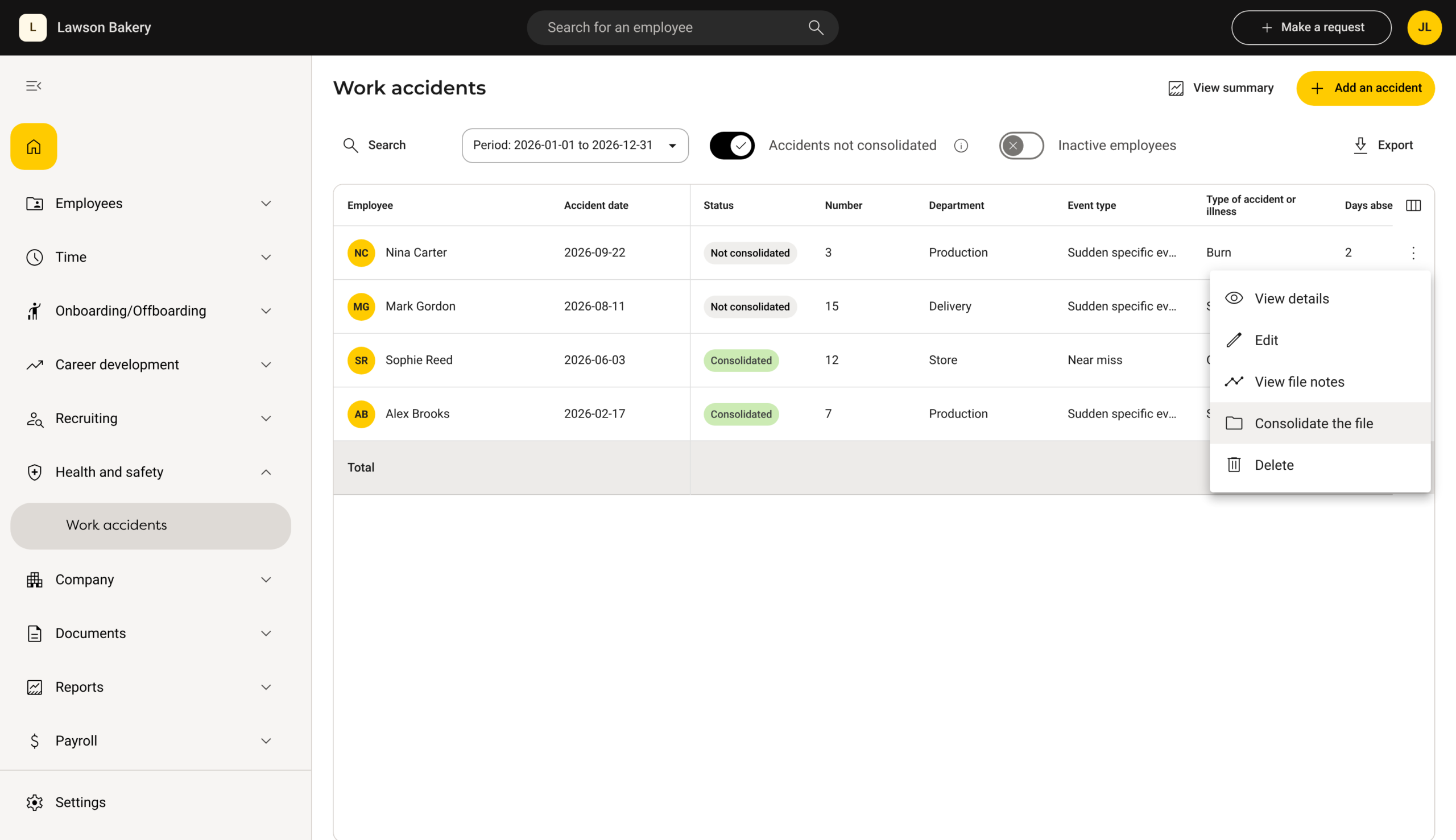
Track every WSIB or CNESST claim until it’s consolidated
For each accident, record whether it was reported to your provincial compensation board, whether the claim is being contested, and the claim number and adjudicator’s contact details.
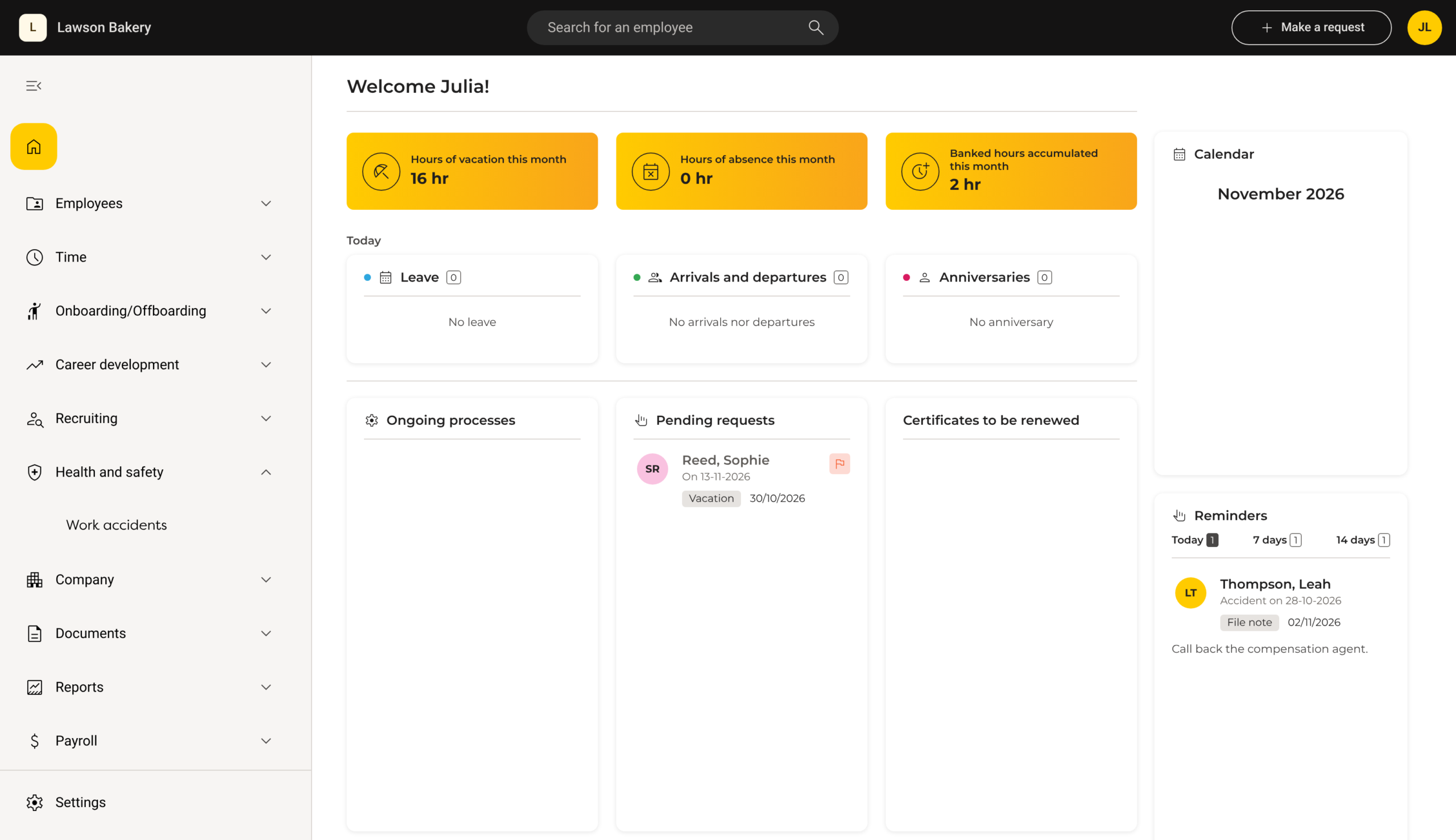
File notes keep track of every step: medical appointments, gradual return to work, conversations with the employee. Date a note in the future and it becomes a reminder on your home page, even if the employee is inactive. Once a claim is consolidated, the file is locked: it stays on record, and you can always reopen it.
Work Accident Management
Lost time, modified work and corrective actions in one place
For each accident, record whether it led to an absence, with its dates, or whether temporary modified work was offered. Log the corrective actions taken so it doesn’t happen again: the prevention side of the file, and the one most often forgotten.
In the accidents table, the Total row adds up the absence days for the accidents shown, and the Accidents not consolidated filter shows every open file in one click, whatever the period.
Work Accident Management
See your accident record year over year
The summary shows your accidents by HR year, with statistics and your organization’s standards. Click an employee to see all of their accidents. Pick the columns you need and export the table to Excel for your joint health and safety committee or an inspection.
Each manager only sees the employees they have access to, based on their permissions. Data is hosted in Canada on a SOC 2 Type 2 certified platform.
On Folks HR, everything you need for efficient HR management is centralized: you can find accidents in the employee profile, track the training and certifications that prevent them, and manage related absences.
HR Software Solutions Built for YOU
Simplicity
Benefit from a user-friendly platform designed by people who understand HR challenges.
Flexibility
We adapt to your processes and reality — not the other way around.
Customization
Need something unique? We're always open to feedback and improvements.
Innovation
Our HR dashboard is one-of-a-kind. Monitor performance at a glance.
Data Security
Your data is protected with cutting-edge encryption.
24/7 Access
View and update profiles anytime, from anywhere.
Paperless Operations
Say goodbye to physical files and paperwork… for good.
Accessible HR Management
Manage HR processes, even without a dedicated HR manager.
Book a demo
From recruitment to onboarding, training, and performance management, discover complete HR solutions to streamline every aspect of your employee experience.
Explore our HR features
Enhance your employee experience and HR operations at every stage.
"*" indicates required fields